Character style
Braille art generator
Eight dots per character for four times the detail of plain ASCII.
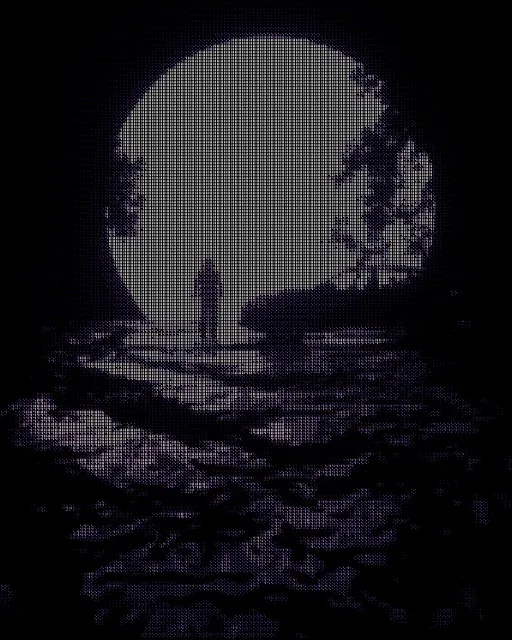
From a photo
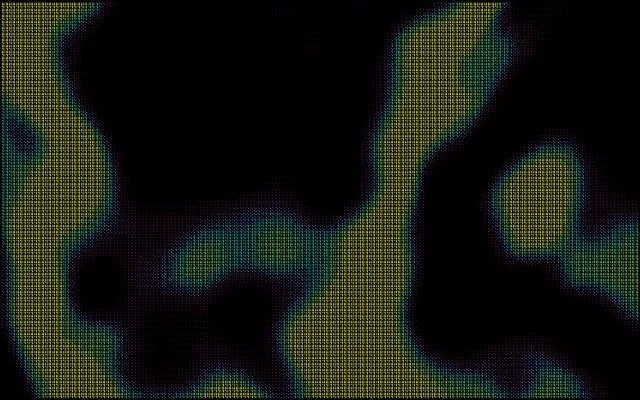
From a shader
How the Braille style works
Each character cell covers a 2×4 block of samples, and every sample becomes one dot of a Unicode braille pattern (U+2800–U+28FF). A small ordered threshold decides which dots light up, so gradients read as dot density. Because each cell carries eight pixels, braille art holds far more detail than a one-sample-per-cell ramp.
Best for
Fine detail in text form — faces, line art and anything you want to paste into Discord or a code block.
Go deeper: What is dithering? →
Tips
- Dots light up where the image is bright, so lift Brightness in Adjust for dark photos.
- Smaller cell sizes give sharper results; the text export stays copy-pasteable.
- Invert flips which dots are raised — useful on light backgrounds.
Export
PNG, JPEG, WebP and SVG, plus plain text you can copy and paste. Animated looks export as GIF, MP4 or WebM.
More character styles
See all 25 styles →